The best cable management for desks depends on whether you need to park frequently used cords, route cables below the work surface, or do both. These picks cover adhesive clips, movable magnetic holders, and screw-mounted trays, so match the setup to your cables and desk before choosing.
Quick Top Products
FLEXISPOT Black Under-Desk Cable Tray
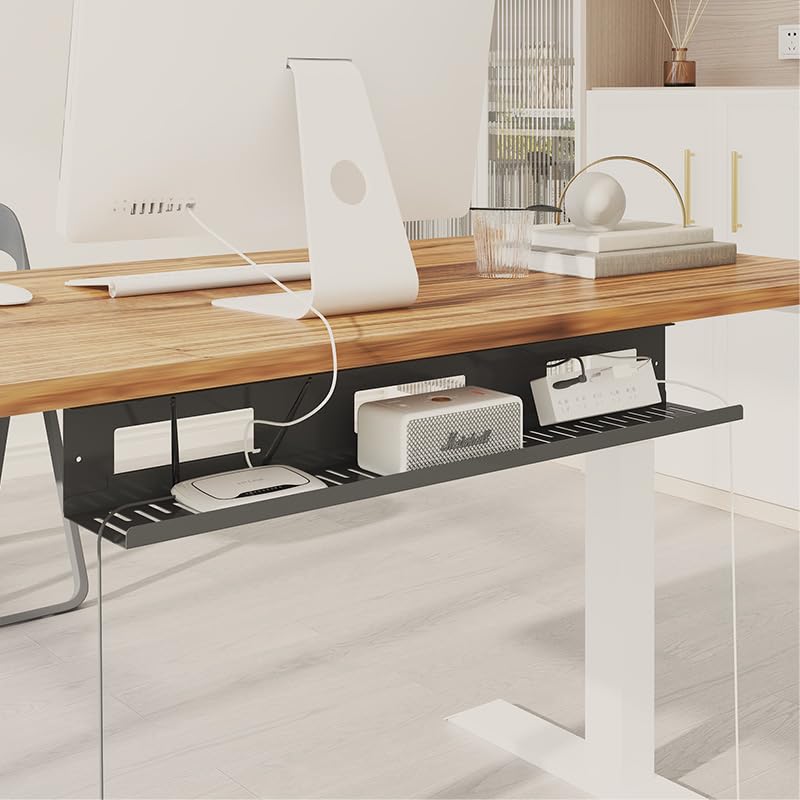
- Metal under-desk tray gathers cords below the work surface.
- Open design gives access for adding and removing cables.
- Mounting requires drilling two holes in the desktop.
Best For: People who want to route cords below a desk and can drill into the desktop.

FLEXISPOT White Under-Desk Cable Tray
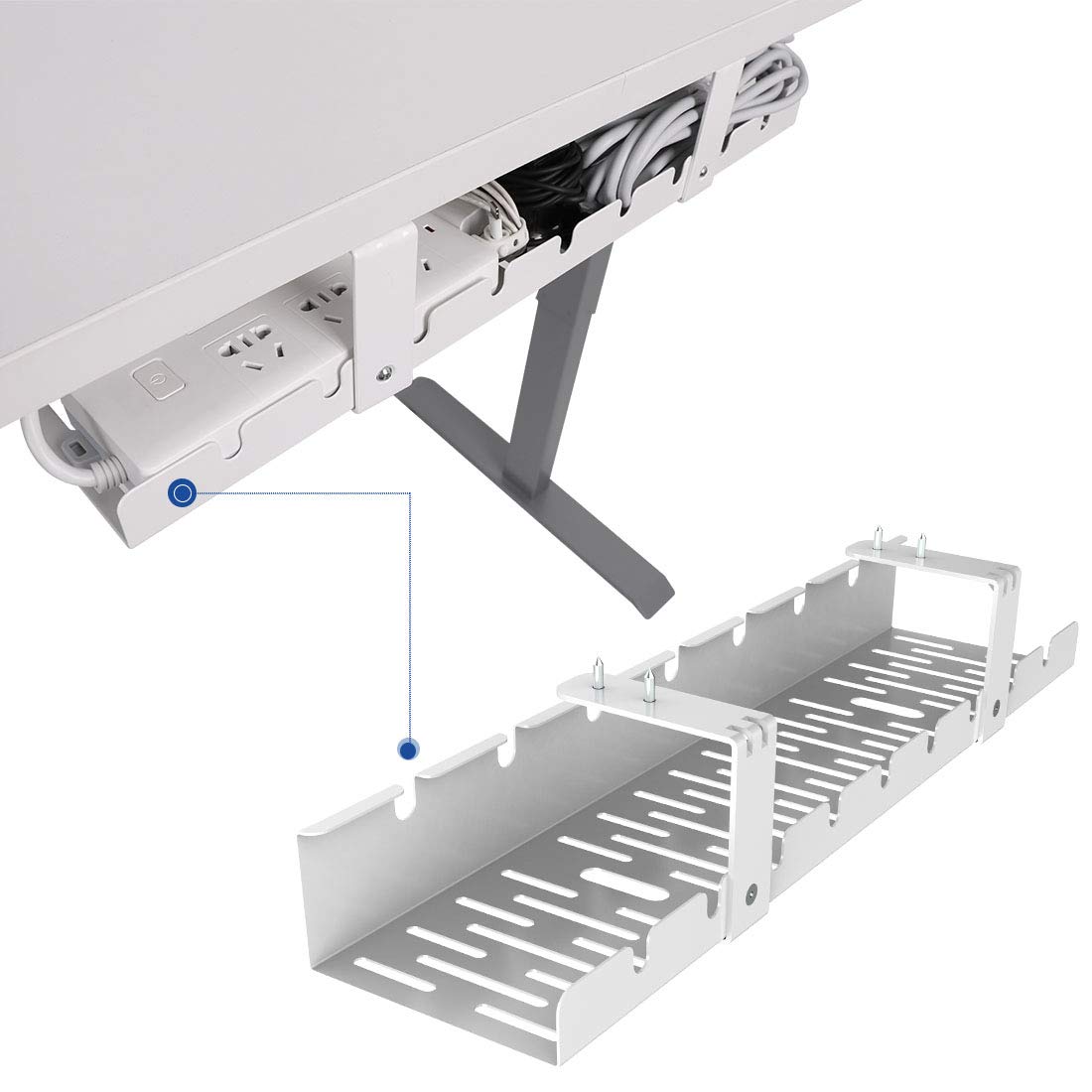
- White metal tray mounts beneath the desktop.
- Open design supports access for adding or removing cords.
- Installation requires drilling into the desk.
Best For: Desk owners who want an open metal tray beneath the work surface and prefer a white finish.
FLEXISPOT White Under-Desk Raceway Tray
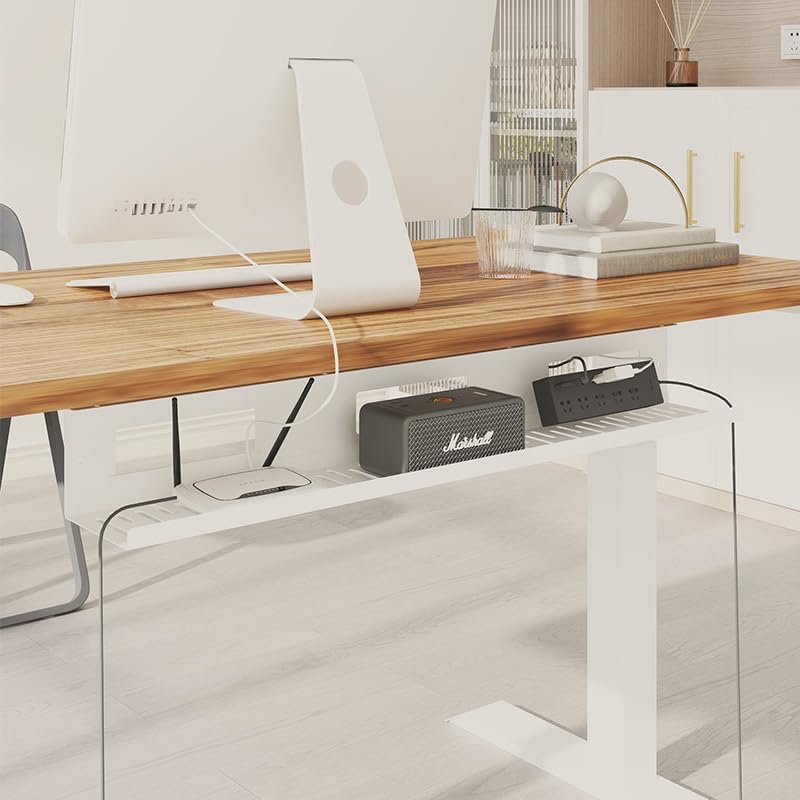
- Metal raceway tray organizes cords beneath the desk.
- Open ventilation design keeps cables accessible.
- Two drilled holes are needed for installation.
Best For: People who want an open, white cable tray and have a desk suitable for drilling.
Syncwire Clear Cable Clips, 15 Slots
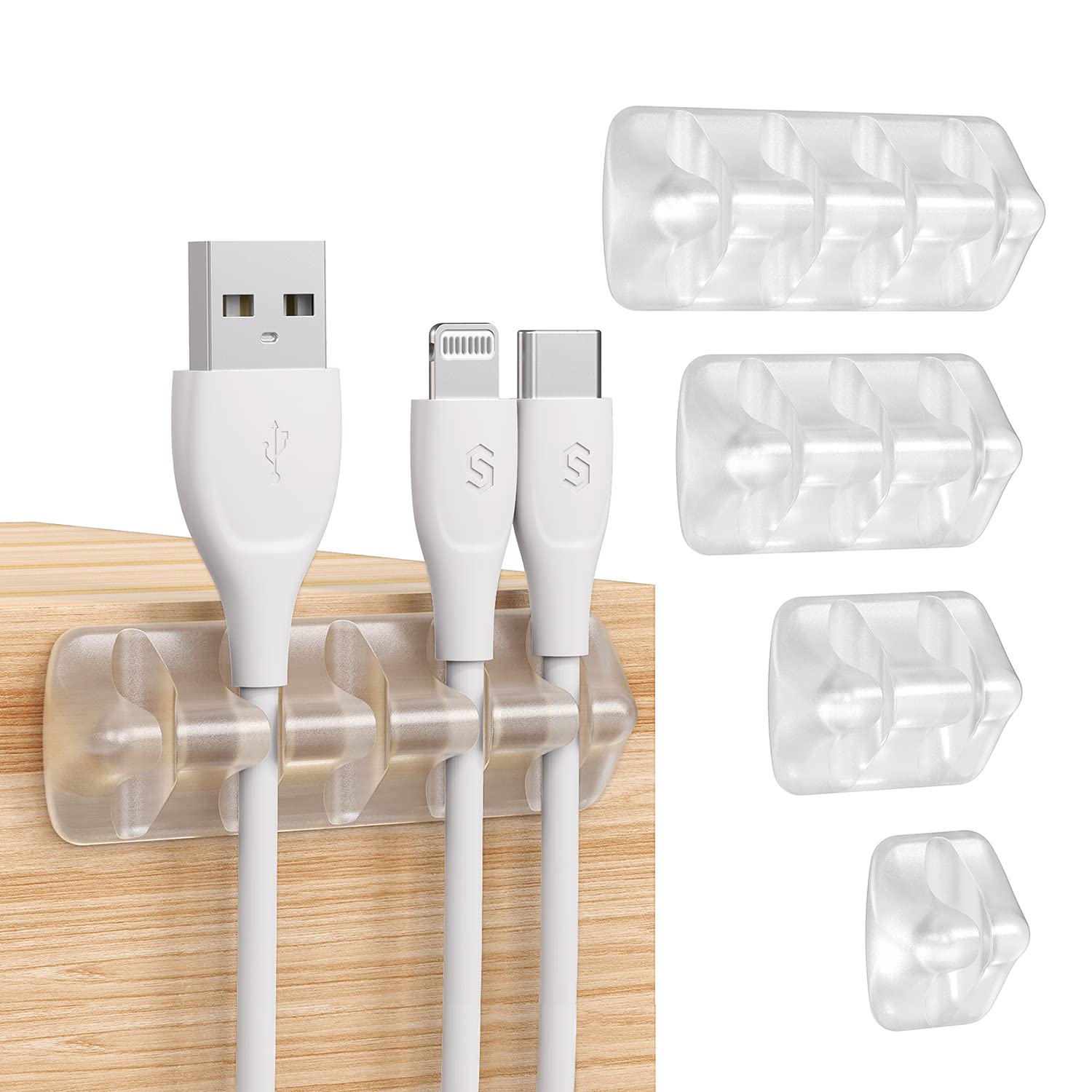
- Fifteen slots across five packs and different sizes.
- Adhesive mounting works on clean, smooth surfaces.
- Flexible silicone clips suit a range of everyday cords.
Best For: People who want to keep individual charging, audio, or computer cables within reach on smooth surfaces.
Syncwire Gray Cable Clips, 5 Pack
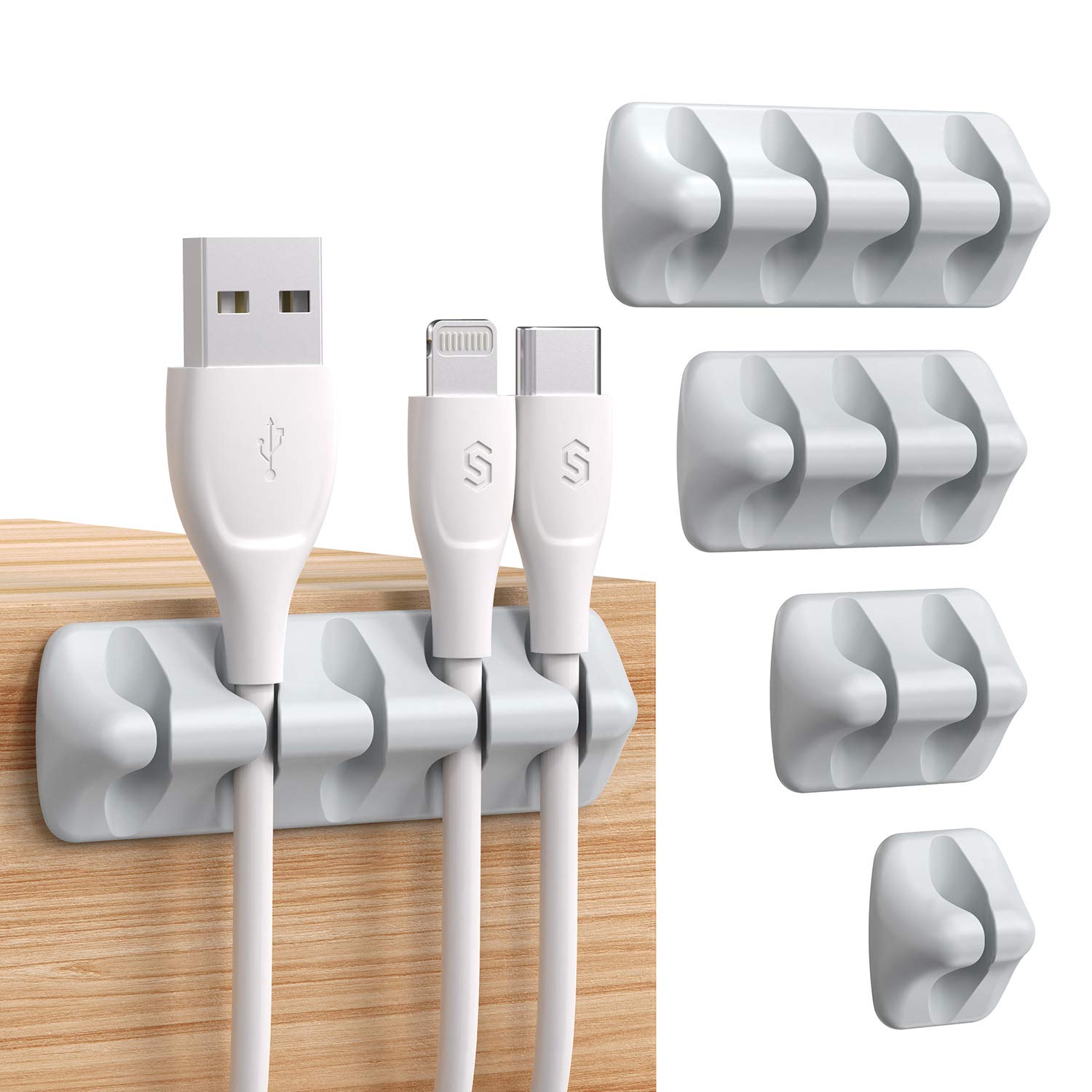
- Five adhesive clips include one-hole to five-hole layouts.
- Intended for cables under 5 mm.
- Silicone holders attach to smooth surfaces.
Best For: People organizing slim charging, audio, or headphone cables on a smooth desk surface.
Smartish Cable Wrangler, Bigger
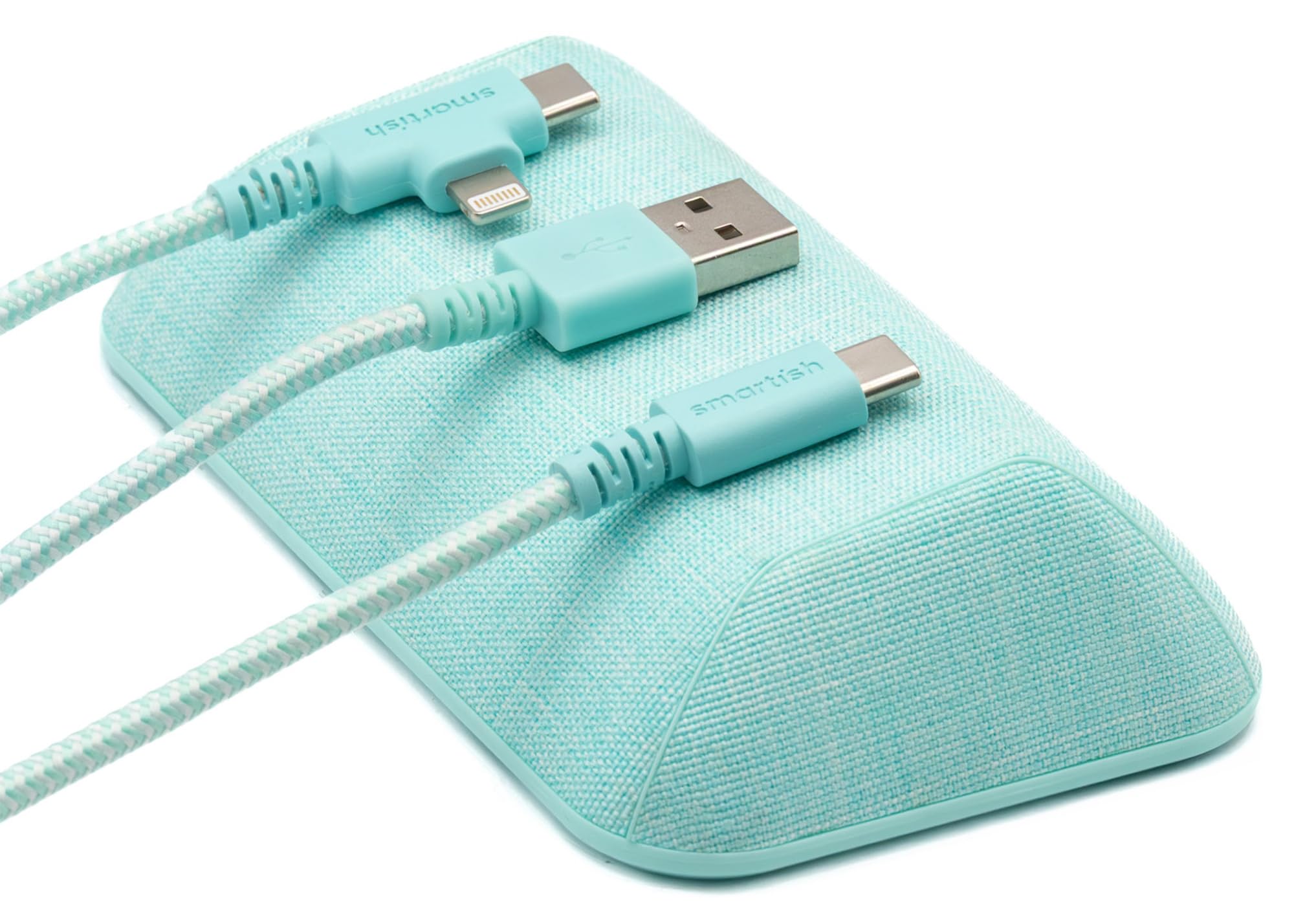
- Holds up to eight cables at the desktop.
- Includes four magnetic silicone cable collars.
- Weighted core and grippy base avoid adhesive mounting.
Best For: People who want to park several frequently used cords on the desktop without adhesive.
Smartish Cable Wrangler
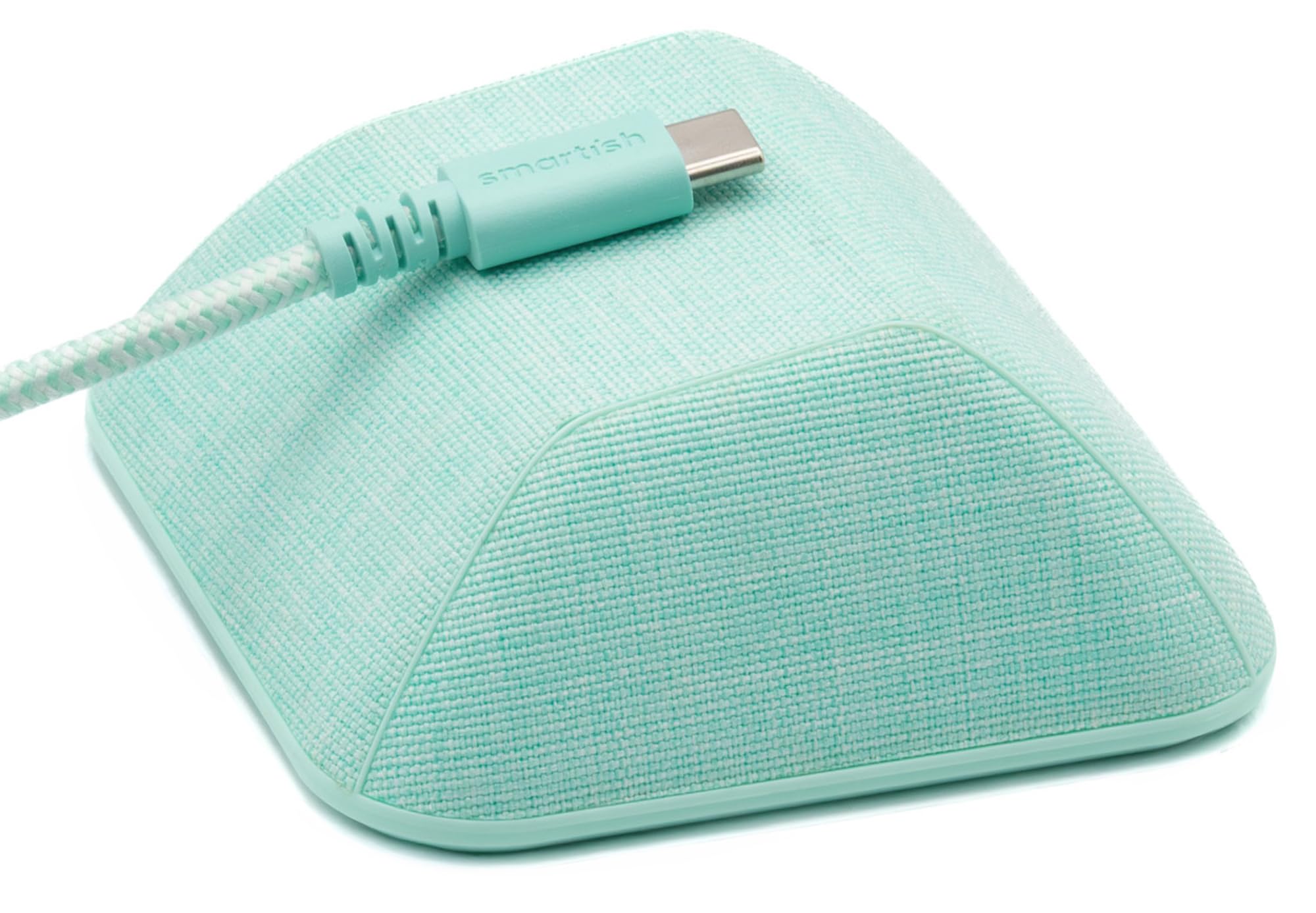
- Magnetic top holds compatible cable ends.
- Includes two collars for non-magnetic cables.
- Grippy bottom supports placement without adhesive.
Best For: People who want a movable holder for a few frequently used desk or nightstand cables.
Under-Desk Routing for Standing Desks
FLEXISPOT Black Cable Tray Metal Raceway Wire Organizer Office Home Computer Cable Management for Standing Desk
The FLEXISPOT black metal tray mounts beneath a desk to gather cords and clear space around the work surface. Its open design lets you add or remove cables without threading them through a closed channel.
Installation requires drilling two holes, so check the desktop material and thickness before buying. It can suit a standing desk setup where loose wires would otherwise hang below the surface, and it keeps cables less accessible to pets.
The tradeoff is a permanent mounting step and a need to confirm that the desk has a suitable location for the tray.
Best For: People who want to route cords below a desk and can drill into the desktop.
| Pros | Cons |
|---|---|
|
|
Choose this tray if your main problem is a bundle of cords hanging beneath the desk and you are comfortable drilling into the desktop. Its open design makes later cable changes more accessible than a closed raceway.
Before buying, check the desk underside for clearance and confirm the mounting point works with your desk frame or adjustment mechanism. The product details do not give dimensions, so verify the tray will fit the available space.
White Under-Desk Cable Routing
FLEXISPOT Under Desk Cable Management Tray, Metal Raceway Wires Cable Tidy Organizer Office and Home Cable Tray Use for Standing Desk (White)
This white FLEXISPOT metal tray organizes cords beneath a desk, keeping them off the visible work surface and away from foot traffic. Its open ventilation design gives access when you need to add or remove a cable.
The installation requires drilling into the desktop, so consider the desk's material, thickness, and underside layout first. It is a practical fit for a workstation that needs a shared route for multiple cords.
The available details do not give the tray's dimensions or capacity, so check measurements and clearance before settling on this model.
Best For: Desk owners who want an open metal tray beneath the work surface and prefer a white finish.
| Pros | Cons |
|---|---|
|
|
This tray is suited to a desk setup that needs a shared under-surface path for cables and works with a white finish. Its open design makes it easier to reach cords than an enclosed raceway.
Compare the mounting area with the desk frame, and check the desktop material and thickness before installation. If you need precise fit guidance, the product details do not specify tray dimensions or capacity, so confirm those before purchase.
White Tray with Open Cable Access
FLEXISPOT Under Desk Cable Management for Office and Home - Standing Desk Metal Raceway Wires Tray (White)
The FLEXISPOT white metal raceway tray routes cables beneath a desk to reduce visible cord clutter. The open construction leaves the wiring accessible, which is useful when devices or cable arrangements change.
It mounts with two drilled holes, so installation depends on having a compatible desktop surface and enough room underneath. The product is intended for home or office desks, including standing desk setups.
Consider the desk's underside and cord layout before choosing it; tray dimensions and cable capacity are not specified in the available details.
Best For: People who want an open, white cable tray and have a desk suitable for drilling.
| Pros | Cons |
|---|---|
|
|
Consider this tray if you want an open route beneath the desk and its white finish suits your workspace. It can handle the shared routing role that small clips cannot, while the open design keeps cords reachable.
Check your desk's mounting surface, thickness, and underside clearance first. Since the dimensions and capacity are not specified, confirm that the tray can accommodate your cable bundle before committing to a drilled installation.
Multi-Size Clear Adhesive Clips
Syncwire Clear Cable Clips - Cord Holders - Self Adhesive Cable Management Organizer - Home, Office, Cubicle, Car, Nightstand, Desk Accessories - Gift Ideas Men, Women, Dad, Mom (5 Packs/15 Slots)
Syncwire's clear cable clip set includes 15 slots across five packs in different sizes. The silicone holders attach with adhesive to clean, smooth surfaces such as desks, tables, or walls, making them useful for keeping frequently used cords from slipping behind a work area.
They suit a mix of cables including chargers, USB, HDMI, and Ethernet leads. Installation does not require drilling, but the surface needs to be clean and dry, and the adhesive needs time to set.
These clips manage cable ends at the desk; they are not a tray for a large bundle underneath.
Best For: People who want to keep individual charging, audio, or computer cables within reach on smooth surfaces.
| Pros | Cons |
|---|---|
|
|
Pick these clips for visible cable ends that need a consistent place on a desk, nightstand, or wall. The assortment of slot sizes offers more flexibility than a single-size holder, and the clear finish is less prominent on many surfaces.
They do not replace under-desk routing when you need to contain a power strip and several long leads. Clean and dry the intended surface, allow the adhesive to set, and check cable thickness against the slots.
Compact Holders for Cables Under 5 mm
Syncwire Cable Clips, 5 Pack Gray Cord Organizer Cable Management Self Adhesive Cable Holder for Organizing Cable Cords, Ideal for Home, Office, Cubicle, Car, Nightstand, Desk Accessories
This Syncwire set uses silicone clips with a multi-combination layout, including one-hole through five-hole designs. The adhesive holders attach to smooth surfaces and are intended for cables under 5 mm, such as headphone or USB charging cords.
That makes them a compact choice for routing a few slim leads along a desktop, while larger cords call for a different organizer. Press the clips into place and allow the adhesive to set before use.
The gray finish offers a subdued alternative to clear holders, but the set is focused on surface-level cable control rather than under-desk storage.
Best For: People organizing slim charging, audio, or headphone cables on a smooth desk surface.
| Pros | Cons |
|---|---|
|
|
Choose this set when slim cables are the main source of clutter on the desktop. Its different hole counts let you organize one cord in one spot and several cords in another, but the under-5-mm limit matters if you use thicker charging or power cables.
Check the cable diameter and mounting surface before buying. For bundles routed beneath the desk, a metal tray is a better match.
Weighted Magnetic Holder for More Cables
Smartish® Magnetic Cord Holder - Bigger Cable Wrangler Organizer with Magnet Clips for Charger Management on Desktop, Nightstand - Holds 6+ Cables - Teal Me More
The larger Smartish Cable Wrangler is a desktop holder designed to keep up to eight cables within reach. A magnetic top grips compatible cables, while four included magnetic silicone collars help secure cables that are not magnetic on their own.
Its weighted core and grippy base keep the holder in place without adhesive, so it can be repositioned without leaving residue. Fabric or vegan leather finishes make it a visible desk accessory as well as a cable organizer.
It keeps cable ends accessible but does not route long cords or a power strip beneath the desk.
Best For: People who want to park several frequently used cords on the desktop without adhesive.
| Pros | Cons |
|---|---|
|
|
This larger holder suits a desktop where several charging and device cables should remain visible and easy to grab. Its stated capacity is up to eight cables, and the included collars extend magnetic holding to non-magnetic cords.
Compared with adhesive clips, it can be moved without applying or removing tape. Choose an under-desk tray if the goal is to hide a bundle of long leads, and check whether the holder's footprint fits the space you have.
Compact Magnetic Cable Parking
Smartish® Magnetic Cord Holder - Cable Wrangler Organizer with Magnet Clips for Charger Management on Desktop, Nightstand, or Side Table for All Cables, USB-C, Lightning Cables - Teal Me More
The standard Smartish Cable Wrangler keeps cable ends parked on a desk, nightstand, or side table using a magnetic top and grippy bottom. It includes two magnetic silicone collars for cables that do not attach to the magnet directly.
Because it does not rely on adhesive, the holder can be moved without leaving sticky residue, and its compact design is convenient for different charging spots. This is a surface organizer rather than a cable tray, so it leaves long runs visible.
Check how many cables you need to hold; its capacity is not specified in the available details.
Best For: People who want a movable holder for a few frequently used desk or nightstand cables.
| Pros | Cons |
|---|---|
|
|
Choose the standard Wrangler if you need a movable parking spot for a modest number of charging cables and want to avoid adhesive. It includes two collars, while the larger version includes four and is described for up to eight cables.
The standard model's capacity is not specified, so check your cable count and whether collars will fit your cords. For under-desk clutter, pair this style of holder with a tray or choose a tray as the primary solution.
How to Choose Cable Management For Desks
How We Picked Desk Cable Management
These options cover three different desk problems: loose cable ends at the work surface, several long cords below it, and slim leads that need a fixed path. The tray options route cables beneath the desk, while the adhesive clips and magnetic holders keep selected cords close at hand.
We excluded a camera cable clamp because its screw mounting and two-cable design target camera accessories rather than an everyday workstation.
Installation and cable fit matter as much as organizer style. The FLEXISPOT trays require drilling, so desk material, thickness, and underside clearance matter.
The Syncwire gray clips are intended for cables under 5 mm. The clear Syncwire set offers different slot sizes, but its adhesive still needs a smooth, clean surface.
Comparing Cable Management for Desks
An under-desk tray is the strongest fit when the problem is a group of long cords below the work surface. Both FLEXISPOT finishes have an open design for access, but their product details do not specify dimensions or cable capacity.
Measure the available mounting area and consider how the desk frame or standing desk movement affects cord routing.
Surface organizers solve a different problem. The Smartish magnetic holders keep cable ends reachable and avoid adhesive; the bigger version is described for up to eight cables and includes four collars, compared with two on the standard model.
Syncwire clips hold cables in designated slots. Adhesive clips attach to a suitable surface, while a magnetic holder can be moved between desk and bedside use.
| Product | Standout features | Best for |
|---|---|---|
| FLEXISPOT Black Under-Desk Cable TrayCheck Price |
| People who want to route cords below a desk and can drill into the desktop. |
| FLEXISPOT White Under-Desk Cable TrayCheck Price |
| Desk owners who want an open metal tray beneath the work surface and prefer a white finish. |
| FLEXISPOT White Under-Desk Raceway TrayCheck Price |
| People who want an open, white cable tray and have a desk suitable for drilling. |
| Syncwire Clear Cable Clips, 15 SlotsCheck Price |
| People who want to keep individual charging, audio, or computer cables within reach on smooth surfaces. |
| Syncwire Gray Cable Clips, 5 PackCheck Price |
| People organizing slim charging, audio, or headphone cables on a smooth desk surface. |
| Smartish Cable Wrangler, BiggerCheck Price |
| People who want to park several frequently used cords on the desktop without adhesive. |
| Smartish Cable WranglerCheck Price |
| People who want a movable holder for a few frequently used desk or nightstand cables. |
Choosing Desk Cable Clips and Magnetic Holders
Choose adhesive cable clips when you want cords to follow a particular route or stay beside the desk edge. The gray Syncwire set is intended for slimmer cables under 5 mm, and its different hole counts help separate a few leads.
The clear set comes with 15 slots in different sizes, which gives more options for everyday cords. For either set, clean the surface and allow the adhesive to set before loading the cables.
A magnetic cord holder is more suitable when you mainly want to stop charging cables from slipping out of reach. It does not make long runs disappear, but it can keep commonly used ends parked where you expect them.
Check how many cables the holder can accommodate and whether the included collars suit cords that are not magnetic.
Who Should Buy Which Desk Cable Organizer?
Choose a FLEXISPOT tray if you need a shared route under the desk and accept drilling during installation. Pick between the black and white models based on workspace finish and confirm dimensions before buying.
Choose the larger Smartish holder when keeping several cable ends accessible is the priority; the standard holder is a more compact option when the cable count is modest.
For a small desktop cleanup, use the Syncwire clear clips when you want varied slot sizes, or the gray clips for slim leads under 5 mm. Many desks benefit from combining one under-desk tray for long runs with a few surface clips or a magnetic holder for cables used every day.