The best USB hubs depend on the ports your computer has and the devices you need to connect, from simple USB-A expansion to HDMI and card readers. These picks cover compact travel adapters, switchable desk hubs, and powered multiport models; check host compatibility, data speeds, and charging needs before choosing.
Quick Top Products
SABRENT 5-in-1 USB-C Hub (HB-TG5P)
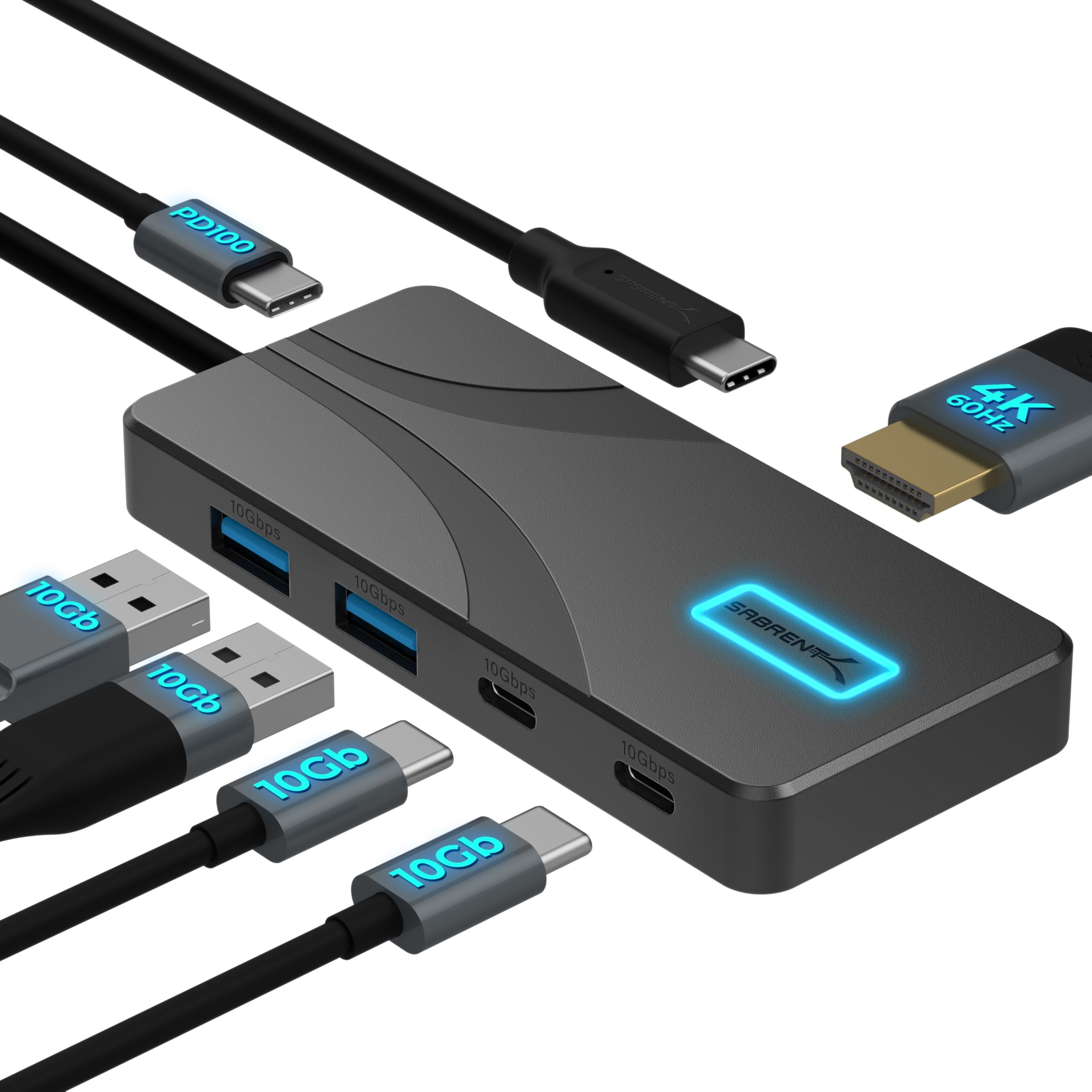
- Four USB-A and USB-C data ports support up to 10Gbps.
- HDMI 2.0 drives one display at up to 4K and 60Hz.
- Passes up to 80W to a laptop from a separate USB-C charger.
Best For: Laptop users who want fast USB-A and USB-C data ports, one HDMI display, and host charging.

SABRENT 6-Port USB-C Hub & M.2 Dock
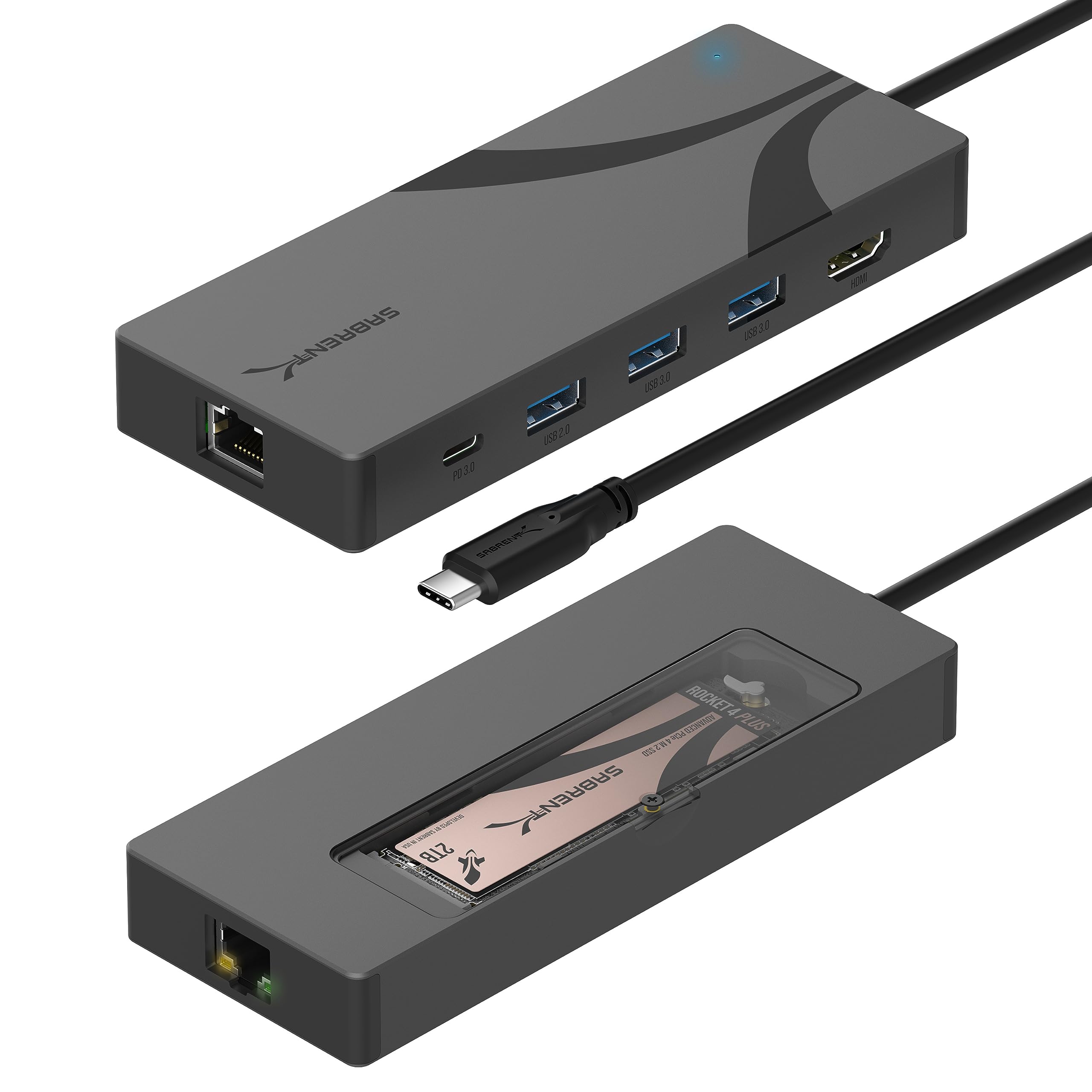
- Internal M.2 slot supports 2242, 2260, and 2280 NVMe or SATA drives.
- Includes HDMI up to 4K at 60Hz and Gigabit Ethernet.
- Passes up to 90W to a host device from a separate charger.
Best For: Laptop users who want to add a compatible M.2 drive alongside display, network, and USB connections.
SABRENT 10-Port USB 3.0 Hub (HB-B7C3)
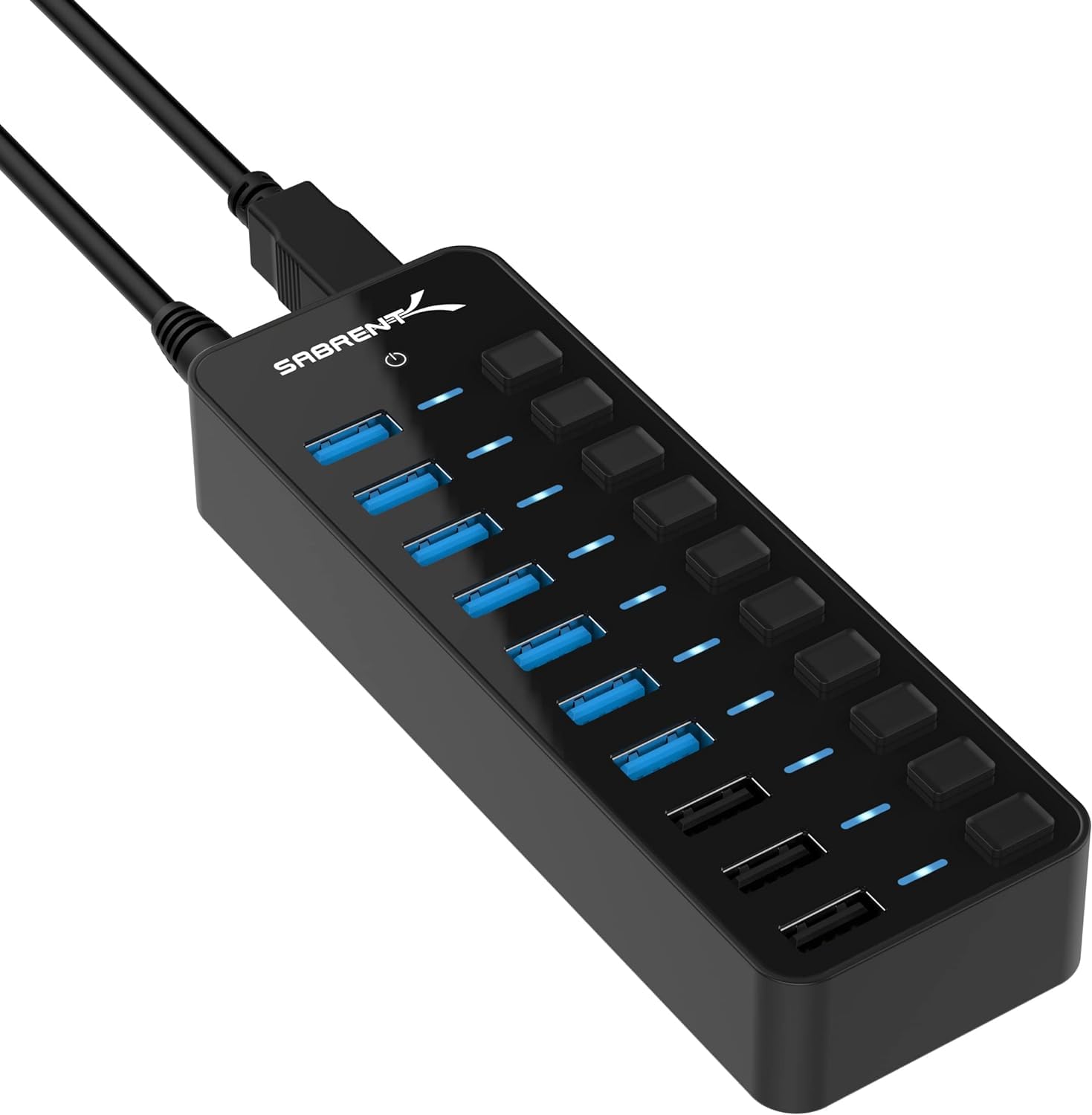
- Seven USB 3.0 data ports support up to 5Gbps.
- Three dedicated charging ports provide up to 2.4A each.
- Includes a 60W power adapter and individual port switches.
Best For: Desktop users connecting several USB-A devices who also want dedicated charging ports.
SABRENT 10-Port USB 3.0 Hub (HB-BU10)
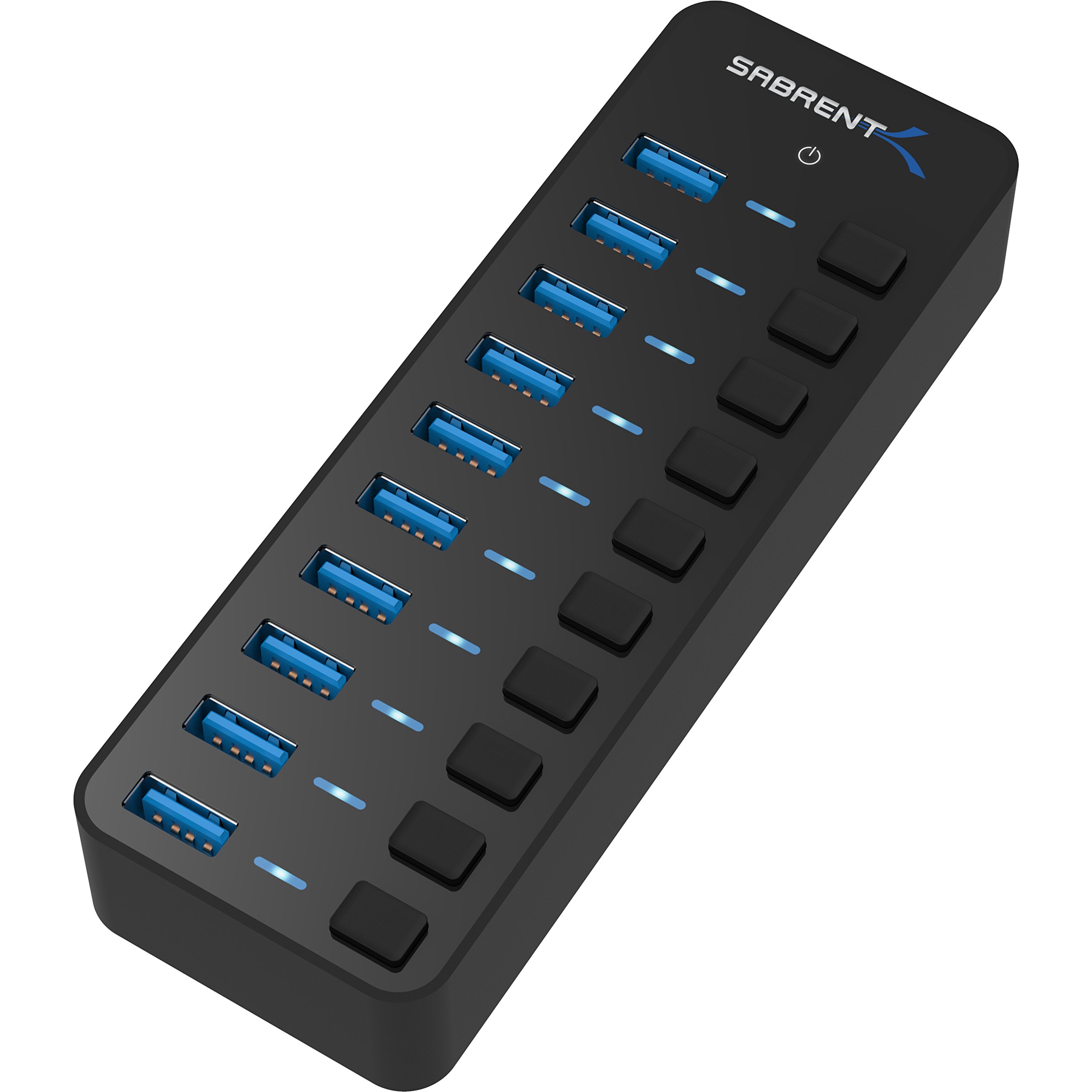
- Ten USB 3.0 ports support data transfer up to 5Gbps.
- Individual power switches and blue LEDs are provided for each port.
- Includes a 60W, 12V/5A power adapter.
Best For: Users who need many USB-A data connections and individual control over each device.
SABRENT 16-Port USB 3.0 Hub (HB-PU16)
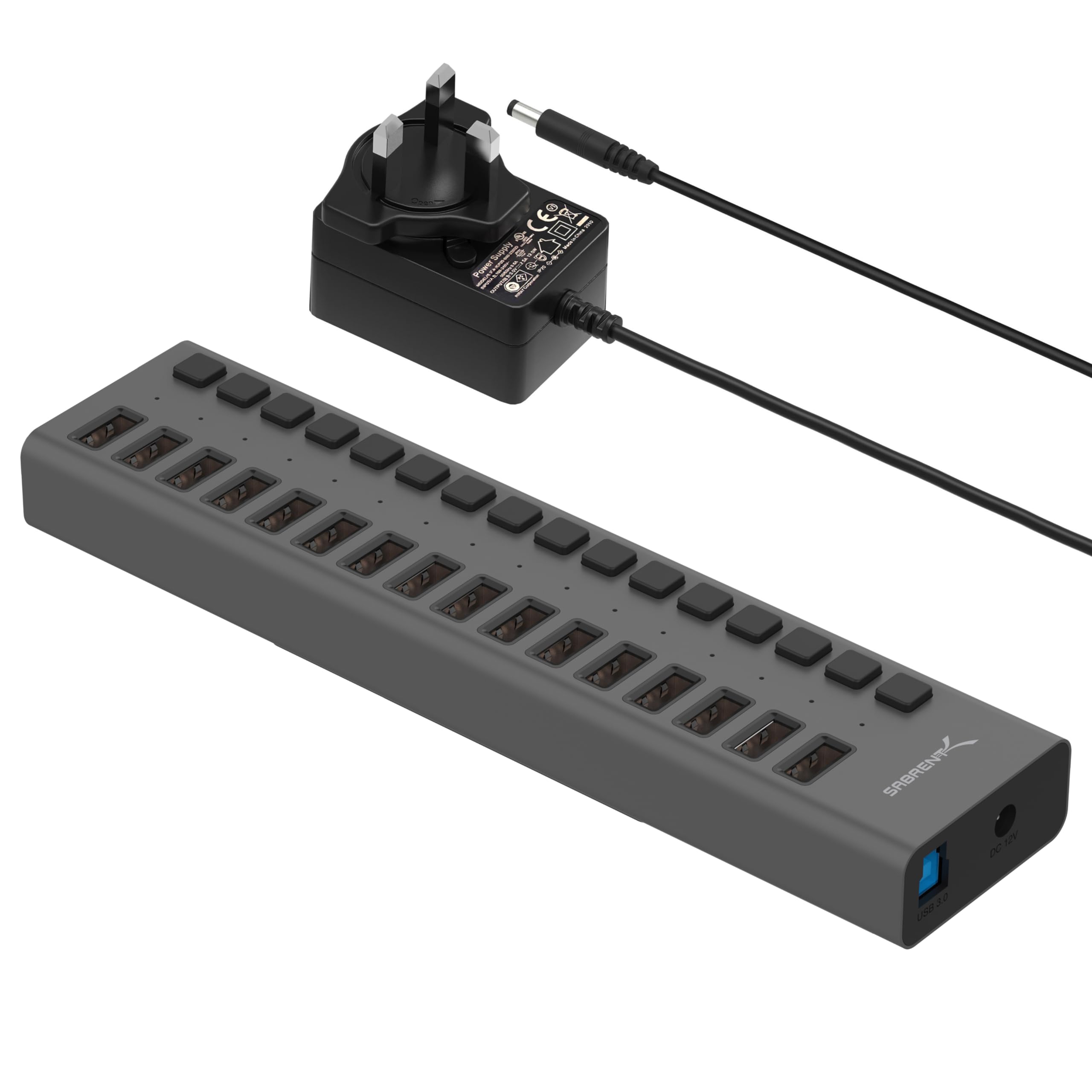
- Provides sixteen USB 3.0 downstream ports.
- Supports data transfer up to 5Gbps and older USB standards.
- Blue LEDs indicate port power status.
Best For: Users who need a high port count for a large collection of USB peripherals.
SABRENT 7-Port USB-C Hub (HB-3A4C)
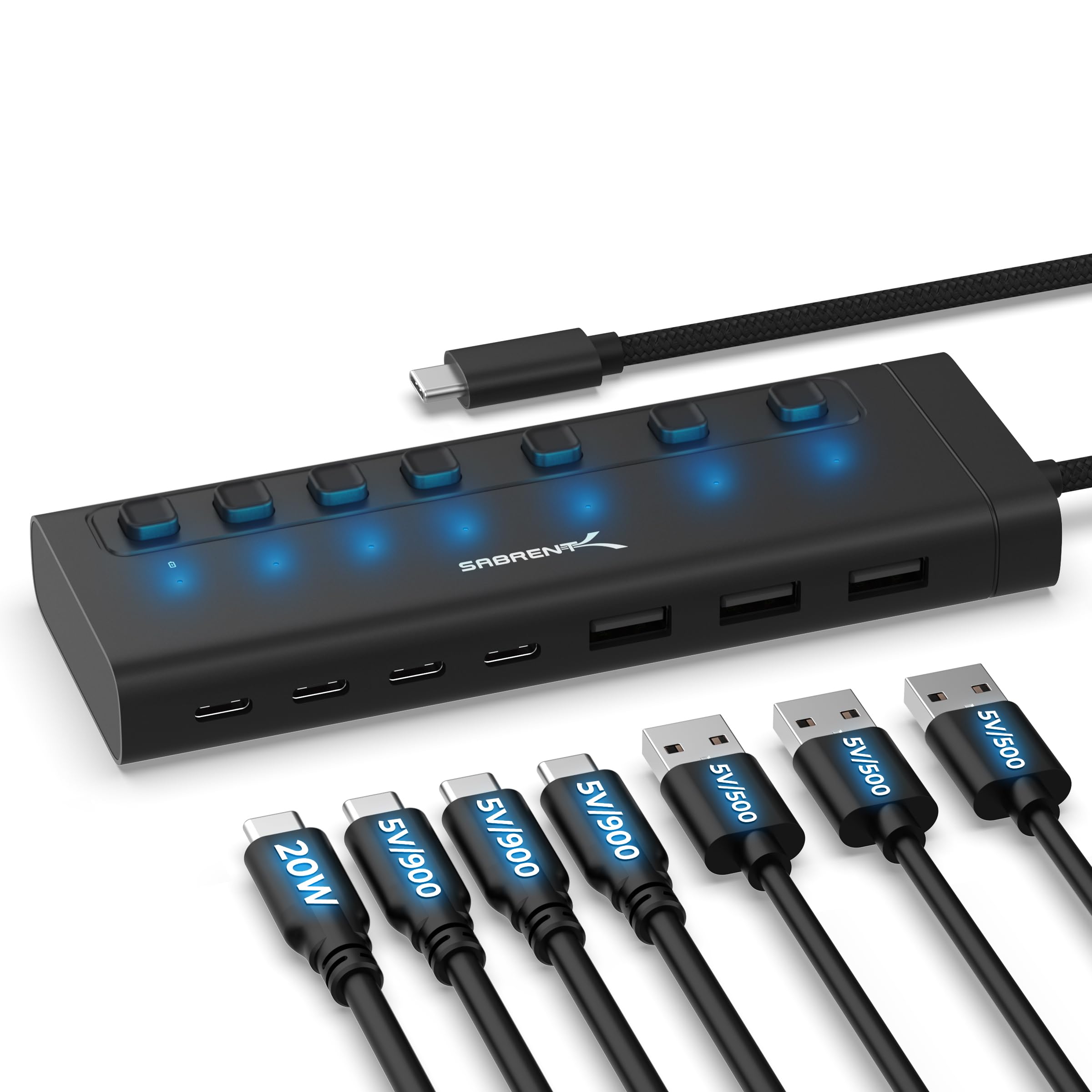
- Mixes three USB-A and four USB-C ports rated up to 5Gbps.
- Each port has an individual switch and white LED.
- Includes a 48W adapter; one USB-C port supports up to 20W PD.
Best For: USB-C device owners who want a powered mix of USB-A and USB-C ports with individual switches.
SABRENT 4-Port USB 3.0 Hub (HB-UMP3)
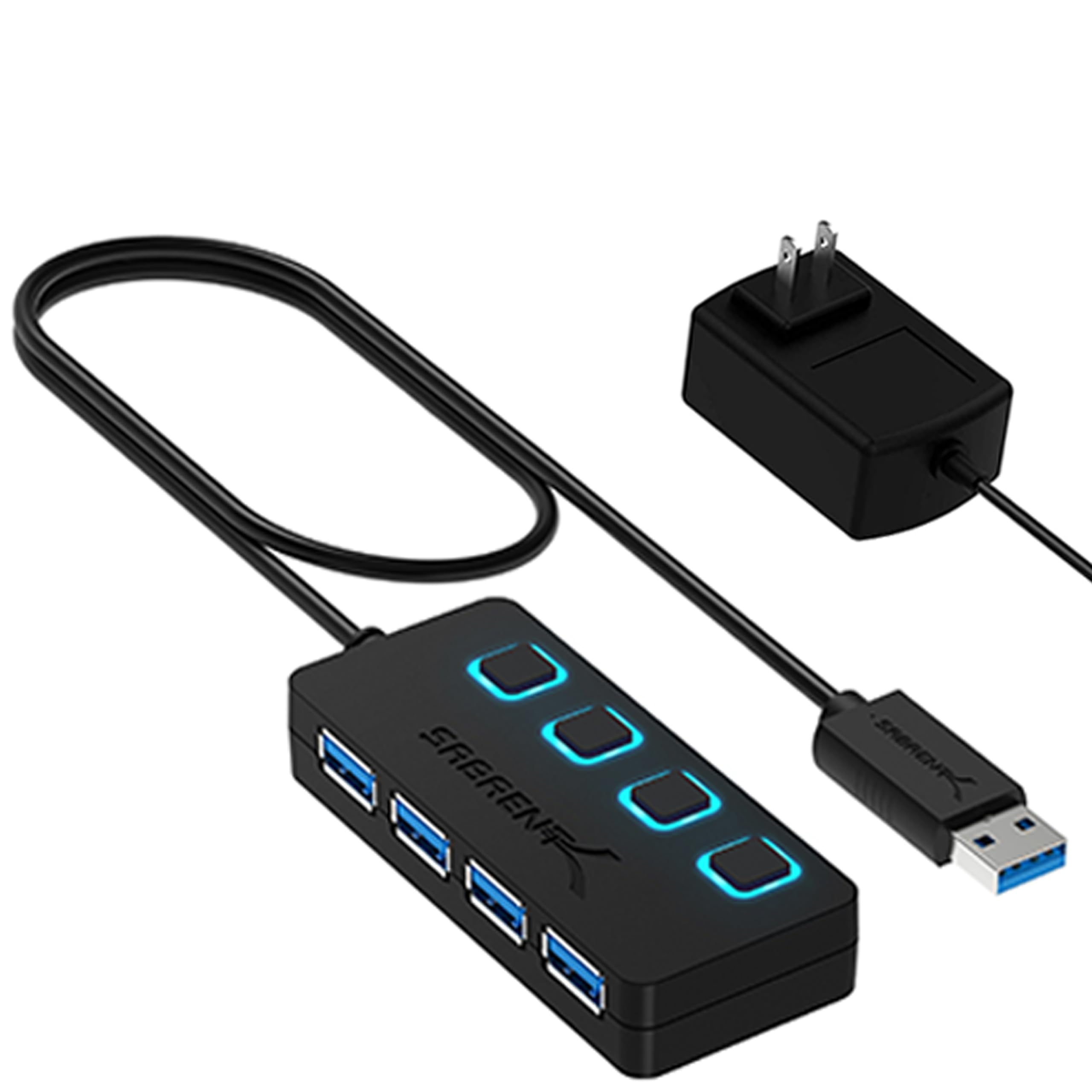
- Four USB 3.0 ports support up to 5Gbps.
- Includes a 5V/2.5A power adapter.
- Individual switches and LED indicators are provided.
Best For: Users who need a compact powered USB-A hub with per-port switches for a few peripherals.
SABRENT USB-C Hub 4K HDMI (HB-SHPU)
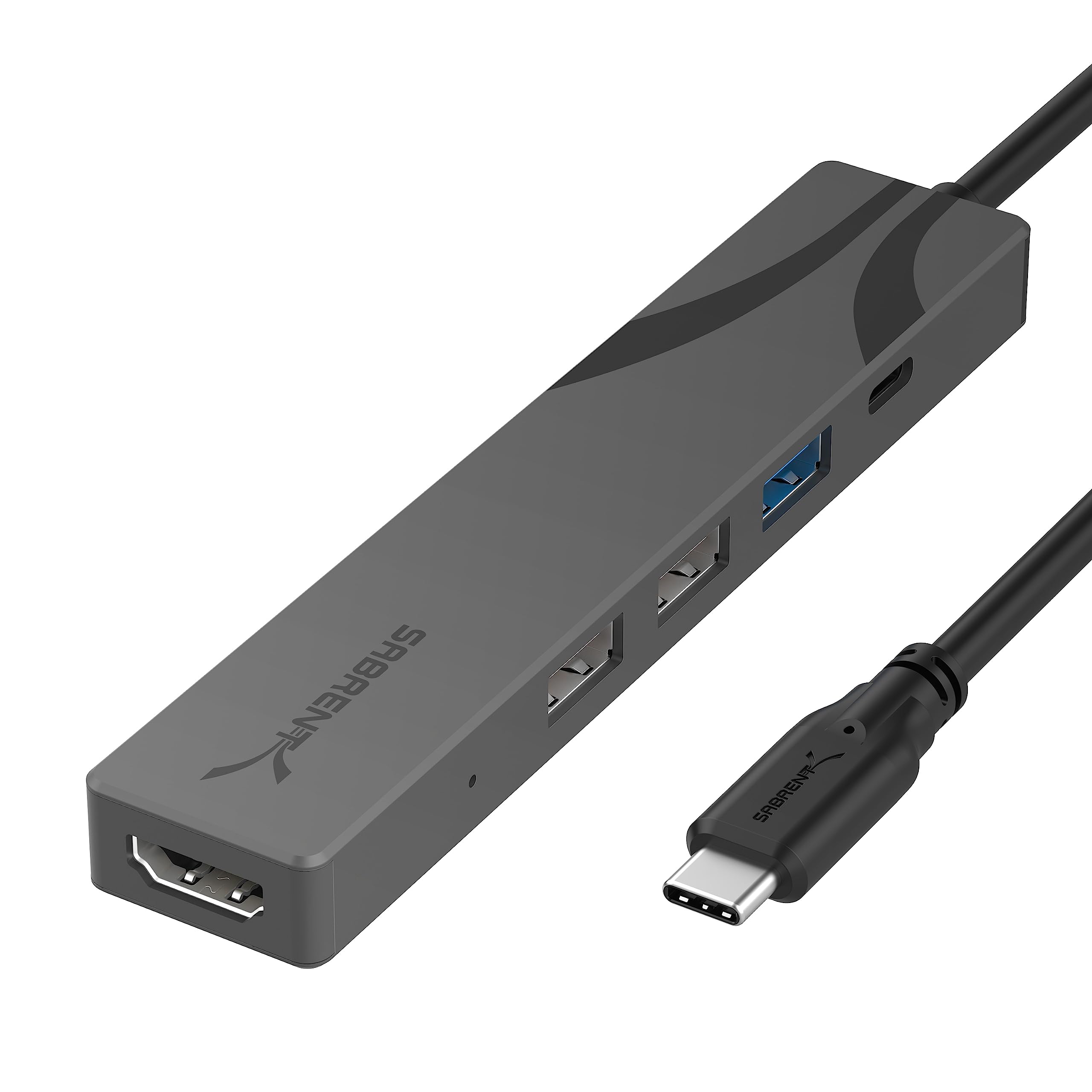
- HDMI output supports up to 4K at 60Hz on a compatible host.
- Three USB-A ports include one 5Gbps and two 480Mbps ports.
- Passes through up to 90W from a separate USB-C charger.
Best For: Laptop travelers who need a small USB-C adapter with HDMI, USB-A ports, and power pass-through.
SABRENT USB-C 5-in-1 Card Reader Hub
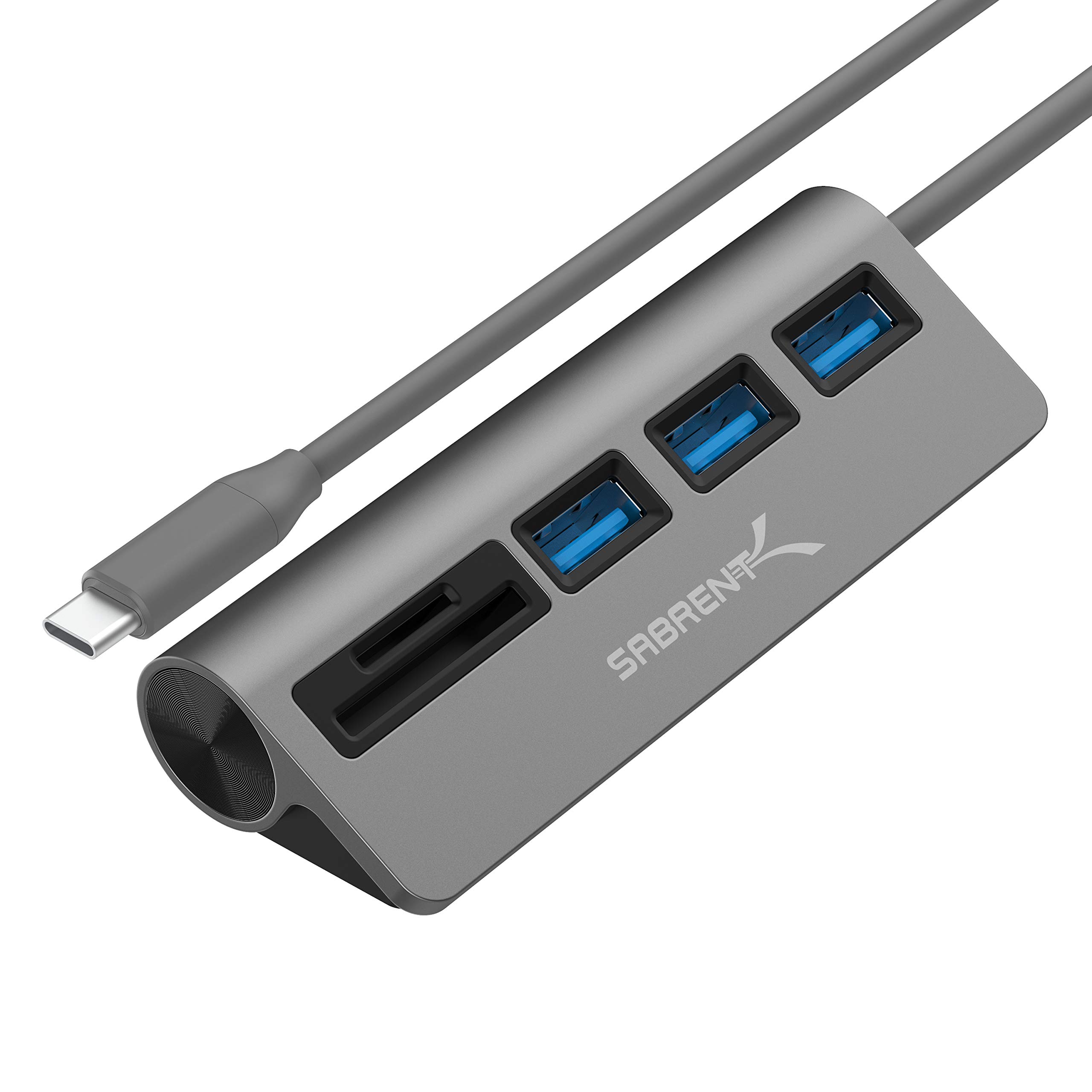
- Three USB-A ports support data rates up to 5Gbps.
- Built-in reader supports SD, SDHC, and microSD cards.
- Plug-and-play and hot-swappable operation.
Best For: Photographers and creators who need card access and USB-A ports from a USB-C host.
SABRENT USB-C Hub 4K HDMI (HB-TC5P)
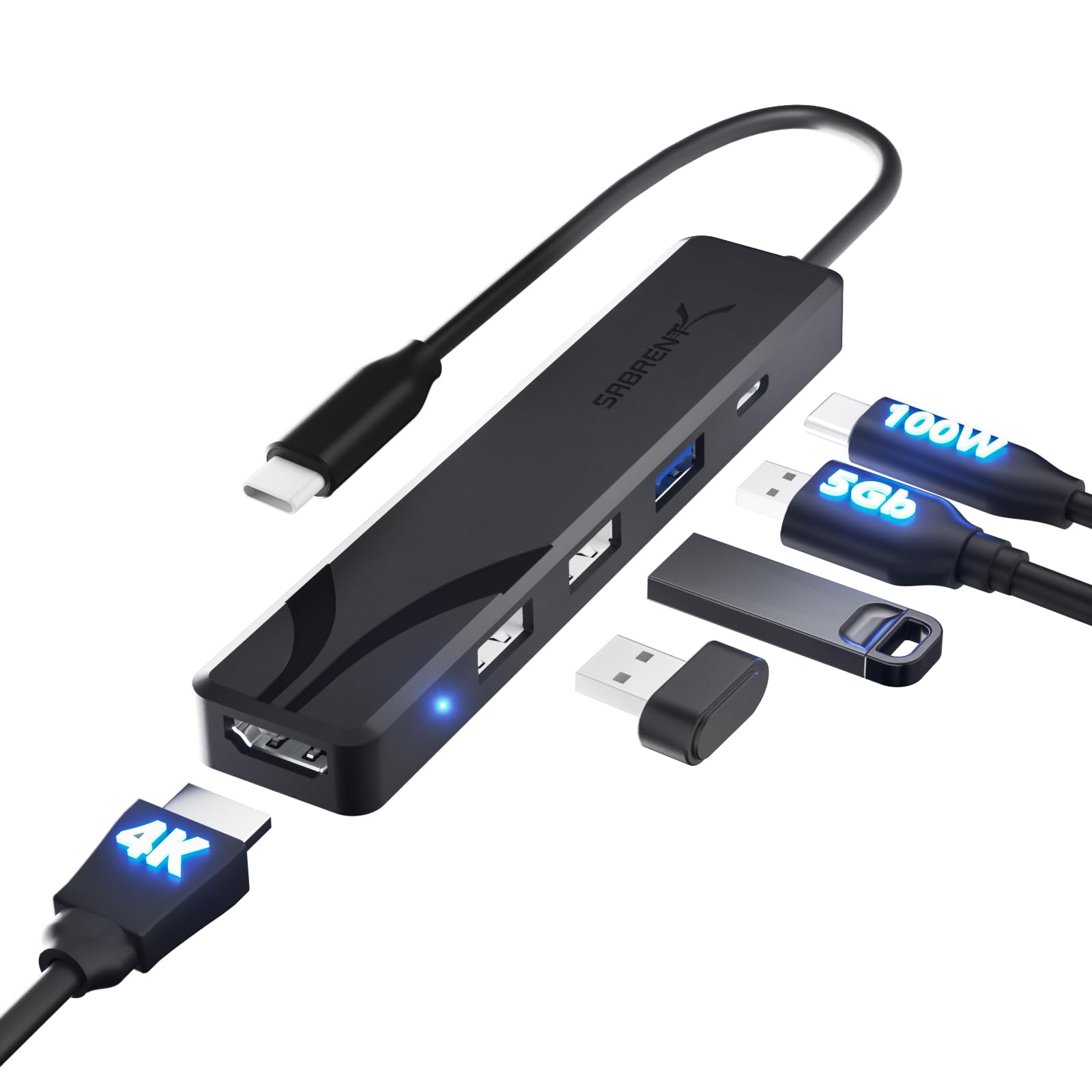
- Single HDMI output supports up to 4K at 60Hz on a compatible host.
- Three USB-A ports include one 5Gbps and two 480Mbps ports.
- USB-C power input supports up to 100W pass-through from a separate charger.
Best For: Travelers needing one HDMI display, three USB-A connections, and laptop charging pass-through.
Fast USB-C Data and HDMI
SABRENT 5-in-1 USB-C Hub, 10Gbps, 4K HDMI, 80W Laptop Charging (HB-TG5P)
The SABRENT HB-TG5P combines two USB-A and two USB-C data ports, all rated for up to 10Gbps, with one HDMI 2.0 output for a display up to 4K at 60Hz. Its dedicated USB-C input accepts a charger and passes up to 80W to the laptop.
The hub has a backlit power switch and a 60cm integrated cable, and its aluminum housing dissipates heat passively. HDMI requires a host with DisplayPort Alternate Mode, and extended desktop mode also requires MST support.
This compact option suits a desk or travel kit when fast data and a single screen matter more than Ethernet or card slots.
Best For: Laptop users who want fast USB-A and USB-C data ports, one HDMI display, and host charging.
| Pros | Cons |
|---|---|
|
|
Choose this hub if your laptop has USB-C with DisplayPort Alternate Mode and you need fast connections for several peripherals plus a single external display. It offers more high-speed data ports than the travel-focused HDMI adapters here, but it does not include Ethernet or card readers.
Check your laptop's support for DP Alt Mode and, if you need an extended desktop, MST. Bring a USB-C power adapter if you want laptop pass-through charging.
Hub with Built-In SSD Storage
SABRENT USB-C 6-Port Hub & M.2 SSD Dock, 4K HDMI, 90W PD (HB-6PNV)
This SABRENT hub adds an internal M.2 NVMe or SATA enclosure to a six-port USB-C adapter. It accepts 2242, 2260, and 2280 drives, with the drive slot running at up to 5Gbps; the hub connects to the computer at 10Gbps.
A thermal pad sits inside the aluminum body. Other connections include HDMI up to 4K at 60Hz, Gigabit Ethernet, two 5Gbps USB-A ports, and one USB 2.0 port.
A USB-C charger can pass up to 90W to the host. The drive is sold separately, and HDMI needs DP Alt Mode support from the computer.
Best For: Laptop users who want to add a compatible M.2 drive alongside display, network, and USB connections.
| Pros | Cons |
|---|---|
|
|
Pick this model if one USB-C connection needs to provide both a dock and a place to install an M.2 drive. Its Ethernet connection is useful where wired networking matters, while the 5Gbps drive slot is a practical limit for users expecting a modern NVMe drive's full rated speed.
Confirm the drive is 2242, 2260, or 2280, and check DP Alt Mode support if you plan to use HDMI.
Powered Hub with Smart Charging
SABRENT 10-Port USB 3.0 Hub, Individual Power Switches and LEDs, 3 Smart Charging Ports, 60W Power Adapter, for PC, Mac, Xbox, PS5, Laptop, Desktop, USB Devices (HB-B7C3)
The SABRENT HB-B7C3 separates its ten connections into seven USB 3.0 data ports and three dedicated charging ports. Data ports support transfer rates up to 5Gbps, while each charging port can provide up to 2.4A.
The included 60W, 12V/5A adapter powers the hub. Each port has an individual switch and LED indicator, making it easier to control connected devices from a desk.
It supports Windows, macOS, and Linux without driver installation. This is a practical fit for a busy USB-A workstation, though its charging ports serve a different purpose from the data ports and should not be counted as additional computer connections.
Best For: Desktop users connecting several USB-A devices who also want dedicated charging ports.
| Pros | Cons |
|---|---|
|
|
Choose this powered hub if you have a desk full of USB-A peripherals and want separate ports for charging phones or tablets. The seven data connections support up to 5Gbps, while the other three are dedicated charging ports, so plan around that split.
Its included 60W adapter and per-port switches make it more suited to a stationary setup than a compact laptop bag. Check that your computer has a compatible USB connection.
Ten Switchable USB 3.0 Data Ports
SABRENT 10-Port 60W USB 3.0 Hub with Individual Power Switches and LEDs, Includes 60W 12V/5A Power Adapter (HB-BU10)
The SABRENT HB-BU10 offers ten USB 3.0 ports for data connections, with transfer rates up to 5Gbps. Each port has a power switch and blue LED, so you can turn peripherals on or off individually and see their status.
The hub includes a 60W, 12V/5A power adapter and uses a mirrored surface design. It is aimed at a desk with multiple drives, card readers, phones, or other USB peripherals.
Unlike the HB-B7C3, the supplied details do not identify separate dedicated charging ports, so choose this one for port count and control rather than a stated charging layout.
Best For: Users who need many USB-A data connections and individual control over each device.
| Pros | Cons |
|---|---|
|
|
This is a good fit when the main need is a large bank of USB-A data connections with individual on/off control. Its ten data ports distinguish it from hubs that reserve some ports for charging, though detailed charging output ratings are not specified.
Compare it with the HB-B7C3 if you want dedicated charging ports for mobile devices. Check the placement and cable reach for your desk before setting up multiple peripherals.
Sixteen-Port Expansion for Large Setups
SABRENT 16-Port USB 3.0 Data Hub and Charger with Individual Power Switches, 90W High-Power Output (HB-PU16)
The SABRENT HB-PU16 provides sixteen USB 3.0 downstream ports for drives, card readers, and other USB peripherals. It supports data rates up to 5Gbps and is backward compatible with USB 2.0 and USB 1.1 devices.
Each port has a blue LED to indicate power status, and the hub supports plug-and-play and hot swapping. This model makes sense where a standard four- or seven-port hub would leave too many devices disconnected.
The available details do not specify an included power adapter or its output, so verify the power arrangement for your intended device load before relying on it for a fully populated setup.
Best For: Users who need a high port count for a large collection of USB peripherals.
| Pros | Cons |
|---|---|
|
|
Choose the HB-PU16 when the central problem is connecting many USB peripherals at once. Its sixteen ports provide more headroom than the ten-port hubs, while the data rate remains up to 5Gbps.
Before buying, confirm the power supply arrangement and consider whether your devices need more power than the host connection can provide. Its blue status LEDs help identify powered ports, but the product details do not describe individual switches.
Powered USB-C Hub with Port Switches
SABRENT 7-Port USB-C Hub, 48W Powered, 5Gbps, 3 USB-A + 4 USB-C (HB-3A4C) | 20W PD; LED status; aluminum body; power switches; for Mac, PC, Steam Deck, ROG Ally
This seven-port hub mixes three USB-A ports and four USB-C ports, all rated for up to 5Gbps. Each port has its own power switch and white LED indicator.
Three USB-C ports provide 5V/900mA, while the fourth supports up to 20W PD for a higher-demand accessory or device. A 48W power adapter is included.
The aluminum body and compatibility with Windows, macOS, Linux, and many USB-C hosts make it a flexible desk hub. It does not add HDMI or Ethernet, so its value is in USB expansion and control rather than laptop docking features.
Best For: USB-C device owners who want a powered mix of USB-A and USB-C ports with individual switches.
| Pros | Cons |
|---|---|
|
|
Pick this hub if your devices use a mix of USB-A and USB-C and you want physical control over each connection. Its included adapter supports a powered desk arrangement, while one USB-C port offers up to 20W PD and the others provide 5V/900mA.
It lacks display and network connections, so pair it with a different adapter if you need a complete laptop dock. Check that 5Gbps meets your storage transfer needs.
Four Powered USB-A Ports with Switches
SABRENT 4 Port USB 3.0 Hub with Individual LED Lit Power Switches, Includes 5V/2.5A Power Adapter (HB-UMP3)
The SABRENT HB-UMP3 expands one compatible USB connection into four USB 3.0 ports, with transfer rates up to 5Gbps. It includes a 5V/2.5A power adapter to power connected devices and gives each port an individual switch with an LED indicator.
The hub also supports USB 2.0 and USB 1.1 devices, and it is plug-and-play and hot-swappable. Its smaller four-port layout suits a basic desk or laptop setup where a few peripherals need separate control.
It is a USB-A focused option without HDMI, network, or memory card features.
Best For: Users who need a compact powered USB-A hub with per-port switches for a few peripherals.
| Pros | Cons |
|---|---|
|
|
Choose this model for a small collection of USB-A devices that benefit from independent power control. It offers the same up-to-5Gbps data rate as the larger powered hubs, but in a four-port arrangement with a 5V/2.5A adapter.
If your setup may grow, compare it with the seven- or ten-port options. Confirm the number of data ports you need and whether your host has the matching USB connection.
Compact USB-C Hub with 4K HDMI
SABRENT Multi-Port USB-C Hub with Power Delivery, HDMI Out, 3 USB A Ports, 4K@60Hz, 90W PD, Aluminum [HB-SHPU]
The SABRENT HB-SHPU combines three USB-A ports, HDMI 2.0, and USB-C Power Delivery pass-through in a compact adapter. One USB-A port supports up to 5Gbps, while the other two support up to 480Mbps.
HDMI can drive one display at up to 4K and 60Hz, provided the host USB-C connection supports DisplayPort Alternate Mode. The hub passes through up to 90W from a USB-C charger and has a short integrated cable and aluminum casing.
It is a travel-friendly way to add a display and everyday peripherals, but the mixed USB-A speeds matter if you plan to connect fast external storage.
Best For: Laptop travelers who need a small USB-C adapter with HDMI, USB-A ports, and power pass-through.
| Pros | Cons |
|---|---|
|
|
Choose this adapter for a USB-C laptop bag when HDMI and basic USB-A connections matter more than a large port bank. It has one faster USB-A port for storage and two slower USB 2.0 ports better suited to common peripherals.
Its 90W pass-through can help keep the host charged, but bring your own charger. Check DP Alt Mode compatibility before counting on HDMI output.
USB-C Hub with SD and microSD Readers
SABRENT USB-C 3.0 Hub, 5-in-1 USB SD Card Reader, SD & TF Dual Slot + 3 USB 3.0 Hub Portable Compatible with MacBook, Mac Pro/Mini, iMac, XPS, Surface Pro, Windows, Thunderbolt (HB-U3CR)
This SABRENT USB-C adapter combines three USB 3.0 Type-A ports with a built-in SD and microSD card reader. Its USB data connections support rates up to 5Gbps, and the card reader accepts SD, SDHC, and microSD formats.
Plug-and-play and hot-swappable operation make it straightforward to add to a laptop setup for moving files from cards and connecting peripherals. It does not list HDMI or Power Delivery, so it is a focused choice for card access and USB expansion rather than a full docking station.
Check your card format and whether you need charging pass-through before choosing it.
Best For: Photographers and creators who need card access and USB-A ports from a USB-C host.
| Pros | Cons |
|---|---|
|
|
Pick this model if card access is the main reason you want a hub, especially when your laptop has USB-C but lacks built-in SD or microSD slots. It combines the reader with three USB-A ports, all useful for a compact creator or office setup.
Check the exact card format you use and whether the hub's port mix meets your needs. If you also need a monitor or laptop charging, compare a video-and-PD adapter instead.
Lightweight HDMI Adapter for Travel
SABRENT USB-C Hub, USB-C to 4K@60Hz HDMI, 100W PD (HB-TC5P)
The SABRENT HB-TC5P turns one USB-C port into a single HDMI 2.0 output, three USB-A ports, and a USB-C power input. HDMI supports up to 4K at 60Hz on a host with DisplayPort Alternate Mode.
One USB-A port supports up to 5Gbps, while two support up to 480Mbps. The power input accepts a separate USB-C charger for up to 100W pass-through, with the hub itself drawing up to about 15W.
At 34g, it is a lightweight option for a laptop sleeve, but the slower USB 2.0 ports are better for basic peripherals than fast storage.
Best For: Travelers needing one HDMI display, three USB-A connections, and laptop charging pass-through.
| Pros | Cons |
|---|---|
|
|
Choose the HB-TC5P for a simple travel setup that needs one external screen and common USB-A peripherals. Its 100W pass-through is a ceiling from a separate charger, and the hub itself draws some of that power.
The port speeds are mixed, so reserve the faster port for storage and use the USB 2.0 connections for items like a mouse or keyboard. Verify DP Alt Mode support and your laptop's power needs.
How to Choose Usb Hubs
How We Picked USB Hubs
These choices cover the main ways people expand computer connections: adding basic USB-A ports, connecting newer USB-C peripherals, building a powered desktop bank, or combining ports with video, networking, or card access. The shortlist includes both compact adapters and larger hubs, with clear port counts and stated connection speeds.
We favored products with a distinct, practical role. That includes hubs with per-port switches, supplied power adapters, mixed USB-A and USB-C ports, or a useful extra such as HDMI, Gigabit Ethernet, or an SD reader.
Models with narrow host requirements or slower USB 2.0-only connections were less useful for a broad USB hub roundup.
Comparing USB Hubs: Ports, Speeds, and Power
Start with the host connection. USB-C hubs with HDMI require DisplayPort Alternate Mode on the computer; a USB-C-shaped port alone does not guarantee video.
For data, the faster ports in this group support up to 10Gbps or 5Gbps, while USB 2.0 connections are rated up to 480Mbps. A hub may mix these speeds, so identify which ports you will use for external drives and which can serve keyboards or mice.
Consider how many connections actually carry data to the computer. The HB-B7C3 has seven data ports plus three dedicated charging ports, while the HB-BU10 presents ten USB 3.0 data ports.
For more peripherals, the HB-PU16 offers sixteen downstream ports. The 7-port HB-3A4C is notable for mixing USB-A and USB-C, with an included 48W adapter and switches for each port.
Power arrangements differ. Some compact USB-C adapters pass power through to the laptop but need your own charger.
The HB-UMP3 includes a 5V/2.5A adapter, while larger powered options include adapters rated at 48W or 60W. Check whether your hub powers peripherals, charges the host, or does both; these functions are not interchangeable.
| Product | Standout features | Best for |
|---|---|---|
| SABRENT 5-in-1 USB-C Hub (HB-TG5P)Check Price |
| Laptop users who want fast USB-A and USB-C data ports, one HDMI display, and host charging. |
| SABRENT 6-Port USB-C Hub & M.2 DockCheck Price |
| Laptop users who want to add a compatible M.2 drive alongside display, network, and USB connections. |
| SABRENT 10-Port USB 3.0 Hub (HB-B7C3)Check Price |
| Desktop users connecting several USB-A devices who also want dedicated charging ports. |
| SABRENT 10-Port USB 3.0 Hub (HB-BU10)Check Price |
| Users who need many USB-A data connections and individual control over each device. |
| SABRENT 16-Port USB 3.0 Hub (HB-PU16)Check Price |
| Users who need a high port count for a large collection of USB peripherals. |
| SABRENT 7-Port USB-C Hub (HB-3A4C)Check Price |
| USB-C device owners who want a powered mix of USB-A and USB-C ports with individual switches. |
| SABRENT 4-Port USB 3.0 Hub (HB-UMP3)Check Price |
| Users who need a compact powered USB-A hub with per-port switches for a few peripherals. |
| SABRENT USB-C Hub 4K HDMI (HB-SHPU)Check Price |
| Laptop travelers who need a small USB-C adapter with HDMI, USB-A ports, and power pass-through. |
| SABRENT USB-C 5-in-1 Card Reader HubCheck Price |
| Photographers and creators who need card access and USB-A ports from a USB-C host. |
| SABRENT USB-C Hub 4K HDMI (HB-TC5P)Check Price |
| Travelers needing one HDMI display, three USB-A connections, and laptop charging pass-through. |
Choosing a USB Hub for Travel, Displays, and Cards
For a travel setup, focus on cable length, size, port mix, and whether your laptop can use the hub while charging. The HB-SHPU and HB-TC5P add a single 4K HDMI output, USB-A ports, and power pass-through in compact designs.
Their USB-A speeds vary by port, so choose an adapter with a faster connection if you plan to transfer files from an external drive frequently.
A creator who moves files from camera media may prefer the HB-U3CR, which combines SD and microSD readers with three USB-A ports. The HB-6PNV adds another kind of storage option: an M.2 slot that accepts only 2242, 2260, or 2280 drives and runs at up to 5Gbps.
It also adds Gigabit Ethernet and HDMI, but the M.2 drive and charger are separate purchases.
For display use, confirm both resolution support and host compatibility. These HDMI hubs provide a single output, not a multi-monitor setup.
Check the laptop or tablet's USB-C video support before buying, then confirm that the charger you already own can supply the power your host needs through pass-through.
Which USB Hub Fits Your Setup?
Choose a compact HDMI model such as the HB-TC5P or HB-SHPU if you carry a USB-C laptop and need one external display plus a few USB-A accessories. Pick the HB-U3CR when card access is central, or the HB-6PNV when you also want an internal M.2 drive and wired Ethernet.
For a desktop with a few powered peripherals, the HB-UMP3 offers four switchable USB 3.0 ports and an included adapter. Choose the HB-3A4C for a powered mix of USB-A and USB-C.
Larger groups of USB-A devices fit the HB-B7C3, HB-BU10, or HB-PU16 depending on whether dedicated charging ports or the highest port count matters most. Before ordering, match the hub's host connector, port speeds, display support, and power arrangement to the devices you actually use.